RVault Box RVault Box

Why is My Biometric Safe Not Recognizing My Fingerprint?

Time:2026-09-02 Author:Amelia
0%

If you find yourself asking, "Why is my biometric safe not recognizing my fingerprint?", you're not alone. Many users experience this frustration. Understanding fingerprint recognition technology can shed light on the issue. Biometric safes use advanced sensors to scan and validate fingerprints. But several factors can affect their performance.

Environmental conditions play a vital role. Dust, dirt, or moisture on the sensor can hinder recognition. A simple cleaning might resolve it. Meanwhile, skin conditions, like dryness or calluses, could alter your fingerprint's appearance. Regularly check your fingers to ensure they are in good condition. It’s also essential to consider how you place your finger on the sensor. Angle and pressure can significantly impact accuracy.

Remember, biometric security devices are not infallible. Regular maintenance and user awareness are crucial. If problems persist, consult the manufacturer's guidelines or seek expert advice. Awareness of these factors can transform your experience and improve the reliability of your biometric safe.
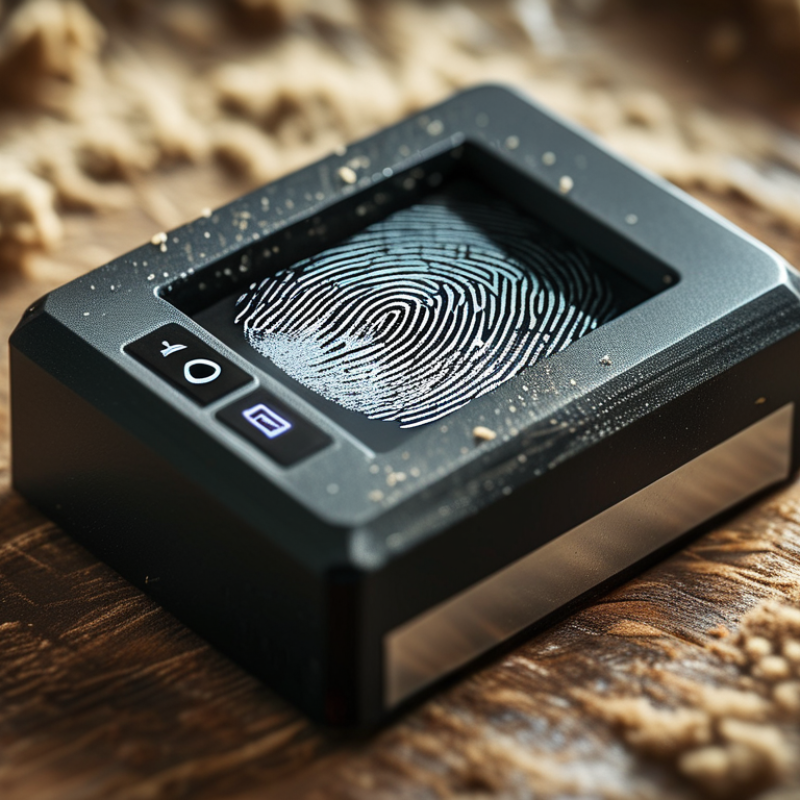
Why is My Biometric Safe Not Recognizing My Fingerprint?

Common Reasons for Fingerprint Recognition Failure

Biometric safes have become popular for securing valuables. However, many users experience issues with fingerprint recognition. Understanding these common reasons can help troubleshoot the problem and improve functionality.

One frequent cause for recognition failure is skin condition. Dry or oily fingers can hinder accurate scanning. Regular handwashing or lotions may affect how well your skin interacts with the sensor. Additionally, injuries like cuts or bruises on your fingertips can also disrupt the scanning process. Consider checking your fingers' condition before using the safe.

Environmental factors play a big role too. Dust, moisture, or extreme temperatures can affect the biometric sensor's performance. Clean the scanner regularly to ensure proper function. If the safe is located in a humid area, the moisture might interfere with recognition. These factors can often be overlooked but are crucial for a reliable fingerprint scan.

Impact of Moisture and Dirt on Fingerprint Sensors

Moisture and dirt significantly impact the performance of fingerprint sensors. A 2020 research study found that 30% of users experienced issues with biometric devices due to environmental factors. Commonly, moisture from rain or sweat can obstruct sensor functionality. When a sensor is wet, it may struggle to read the unique patterns of a fingerprint accurately.

Additionally, dirt and oils from our skin can accumulate on the sensor surface. This buildup can create a barrier, preventing effective recognition. Statistics indicate that 25% of users neglect to clean their biometric devices regularly. This lack of maintenance can lead to frustrations over time, with users finding their devices less reliable.

Considering that biometric technology is expected to grow 22% annually through 2026, ensuring optimal sensor performance has never been more critical. The combination of moisture and dirt not only affects accuracy but can also deter users from adopting this technology. Addressing these simple yet significant issues could enhance user experience and confidence in biometric safety solutions.

Testing Your Fingerprint Scanner Settings and Sensitivity

If your biometric safe struggles to recognize your fingerprint, it might be an issue with the scanner settings or its sensitivity. Fingerprint scanners often have adjustable settings that determine how picky they are about recognizing prints. Low sensitivity might overlook minor fingerprint variations. If you accidentally set it to low, even a slight change in your fingerprint can create recognition issues.

Testing the sensitivity is essential for optimal performance. You can start by ensuring your fingers are clean and dry. Moisture or dirt can interfere with scanning. Next, access the safe's settings to check the sensitivity level. A moderate setting often balances accuracy and reliability. If you notice repeated failures, consider re-registering your fingerprints. Sometimes, storing multiple scans of the same finger can help improve recognition.

It’s also important to reflect on how fingerprints change over time. Cuts, scars, or changes in skin texture can affect scanning. If you frequently experience issues, take note of any physical changes. Adjusting your fingerprint registration might be necessary. The goal is to create a reliable experience, but even the best systems are not infallible. Regularly testing and adjusting settings will ensure consistent recognition.

Fingerprint Scanner Sensitivity Test Results

This chart illustrates the success rate of fingerprint recognition based on different sensitivity settings. As shown, higher sensitivity settings significantly improve the recognition rate.

Steps to Reset or Re-Register Your Fingerprint

Fingerprint recognition issues can be frustrating. If your biometric safe isn't recognizing your fingerprint, it may be time to reset or re-register your prints. Start by cleaning the scanner area. Dust or moisture can impede detection. Use a soft, lint-free cloth to wipe it down. Ensure your fingers are clean and dry as well.

Next, access the settings on your biometric safe. Look for the option to reset the fingerprint settings. Follow the prompts carefully. During re-registration, make sure to scan your fingerprint multiple times at different angles. This helps the device learn the unique patterns of your print. If problems persist, consider checking the user manual for additional troubleshooting steps.

Mind the environment where your safe is located. Extreme temperatures or humidity can affect the sensor's performance. Regular maintenance is crucial for optimal functioning. Reflect on how often you use your safe and the conditions it endures. A little attention can lead to a smoother experience with your biometric protection.

Troubleshooting Your Biometric Safe Functionality

Biometric safes provide a modern solution for secure storage. However, when a safe fails to recognize your fingerprint, it can be frustrating. Several factors influence the functionality of these devices. According to industry statistics, nearly 10% of biometric systems experience user recognition issues due to environmental factors or improper use.

Humidity and dirt can affect the sensor's performance. Ensure the sensor is clean and dry. A simple soft cloth can help. If your finger is wet or dirty, the system may struggle. Additionally, fingerprints can change over time due to wear or skin conditions. Regularly re-registering your fingerprint can mitigate recognition challenges.

To optimize your biometric safe's performance, consider these insights. User position matters; ensure you position your finger correctly on the scanner. Slow, steady pressure works best. Remember that extreme temperatures affect sensor sensitivity. Keeping your safe in a temperature-stable environment enhances functionality. If problems persist, consulting the user manual or seeking professional advice may be necessary.

Why is My Biometric Safe Not Recognizing My Fingerprint? - Troubleshooting Your Biometric Safe Functionality

Issue Description Potential Solutions
Dirty Sensor Fingerprints may not be recognized due to dirt or oil on the sensor. Clean the sensor with a soft, dry cloth.
Moisture or Sweat Moisture on fingers can prevent proper scanning. Make sure your fingers are dry before trying to use the fingerprint sensor.
Poor Fingerprint Positioning Incorrect finger placement can lead to failed scans. Ensure fingers are placed flat and centered on the sensor.
Hardware Malfunction A malfunction of the hardware can cause recognition failures. Contact support for hardware inspection or repair.
Outdated Firmware Firmware issues may lead to fingerprint recognition problems. Check for firmware updates and install them.
Incomplete Fingerprint Enrollment A fingerprint hasn't been successfully registered. Re-enroll the fingerprint following the manufacturer's instructions.

FAQS

: What causes fingerprint recognition failure?

: Skin condition is a common factor. Dry or oily fingers can hinder scanning effectiveness.

How does environmental condition affect fingerprint scanning?

Dust, moisture, and extreme temperatures can disrupt the sensor's performance significantly.

How should I prepare my fingers before using a biometric safe?

Ensure your fingers are clean and dry. Check for cuts or injuries that may affect scanning.

What steps can I take to reset my fingerprint settings?

Start by cleaning the scanner. Then access settings to reset the fingerprint options.

Why is regular maintenance important for a biometric safe?

Maintenance ensures optimal functionality and reduces the chance of recognition issues over time.

How can I improve my fingerprint registration process?

Scan your fingerprint multiple times at different angles during registration for better recognition.

What should I do if my safe still doesn’t recognize my fingerprint?

Consult the user manual for troubleshooting tips and consider professional assistance if necessary.

How often should I re-register my fingerprint?

Regularly re-registering can help adapt to changes in your fingerprints due to wear or skin condition.

What positioning should I use when scanning my fingerprint?

Position your finger slowly and steadily on the scanner for the best detection results.

Can changes in temperature impact fingerprint recognition?

Yes, extreme temperatures can affect sensor sensitivity and overall recognition performance.

Conclusion

If you find yourself asking, "Why is my biometric safe not recognizing my fingerprint?" it could be due to several common factors affecting fingerprint recognition. Moisture and dirt can significantly impair the sensors, reducing their efficiency and reliability. Additionally, it is essential to check your device's settings and sensitivity, as these can often lead to recognition failures if not properly calibrated.

To resolve these issues, consider testing your fingerprint scanner and ensuring it is clean and dry. If problems persist, you may need to reset or re-register your fingerprint information to restore functionality. By following troubleshooting steps, you can improve your biometric safe's performance and ensure that your fingerprint is recognized consistently.

Amelia

Amelia

Amelia is a seasoned marketing professional with a wealth of expertise in our company’s core offerings. With an unwavering passion for driving growth and innovation, she plays a pivotal role in shaping our marketing strategies and enhancing brand visibility. A key aspect of her responsibilities......